1. Home
  2. Guides
  3. Visualize a Product Before Manufacturing

Before manufacturing

Production notes

See your product before it is made.From your CAD files.

Between the drawing and the first production run, months often go by. Meanwhile, you already need to present the product, take pre-orders or win over a partner.

In short: a 3D render starts from CAD files or drawings, not from a physical unit. It helps you present, take pre-orders and get early feedback. It replaces neither the validation prototype nor testing. On Kickstarter, hardware and product design projects must show a working prototype, and photorealistic renderings are not allowed.

What I offer: 3D images and animations of your product built from your CAD files or drawings, under NDA if needed, before the first unit exists.
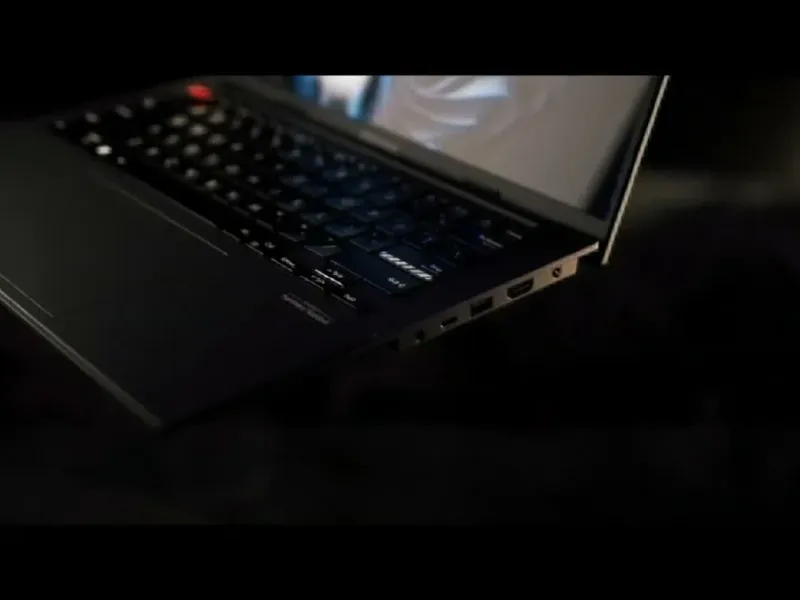
Asus Vivobook S14 laptop in low light, from a personal 3D concept film
Asus Vivobook S14 · Concept

Before manufacturing: where 3D helps

UseWhat 3D bringsWhat you still need
Pre-order pageThe product from every angle, in its planned finishesUpdated images if the design changes
InvestorsA product people can grasp, even without a finished prototypeThe manufacturing plan and the project’s numbers
Retailers and buyersVisuals for a catalog or a meetingA sample as soon as one exists
Internal finish decisionsSeveral materials compared on the same modelA physical sample for the final call
Kickstarter campaign (hardware, product design)Photorealistic renderings not allowedA working prototype shown in the campaign
Usability, durability and safety testingNone: you can’t test an imagePhysical prototypes

Production notes

Showing a product that doesn’t exist yet

A 3D render is built from the product’s model. If your engineering team designed the product in CAD, the geometry already exists: what remains is materials, lighting and framing.

The uses are many: a pre-order page, an investor deck, a meeting with a retailer, a trade show, a catalog prepared before stock arrives.

3D helps internally too. Comparing two colors or two finishes on the same model can save ordering a sample for every option.

What to supply

The product’s CAD file, ideally as a STEP or in its native format. Without a file, dimensioned drawings and precise sketches let me model the product, though it takes longer.

The planned materials and finishes, with precise references: Pantone or RAL, matte or gloss, brushed or anodized metal. A material sample, even without the product, helps a lot.

Vector logos, mood references, where the images will run and your deadline. The full list is in the guide on which files to send.

What 3D doesn’t replace

A render shows the design intent. It says nothing about how a hinge holds up, a molding tolerance or how the product feels in the hand. The validation prototype and testing remain essential.

A color on screen depends on the screen and the render. For the final shade, the physical sample is the reference.

If the design changes during development, update the images. A pre-order customer expects the product they saw.

Crowdfunding: Kickstarter’s rule

For hardware and product design projects, Kickstarter requires creators to show a working prototype and states that it does not allow photorealistic renderings. It also asks creators to explain how the product will be manufactured.

So a photorealistic 3D render can’t carry this kind of campaign on Kickstarter on its own. It stays useful before and around it: a pre-launch page, a press kit, partner presentations.

Every platform has its own rules, and they change. Read yours before preparing your visuals.

How I work on a product that isn’t made yet

I open your CAD files in Cinema 4D, check the parts and flag anything missing. You approve previews before the final render in Octane Render. An NDA is possible depending on the contract, for a product that isn’t announced yet.

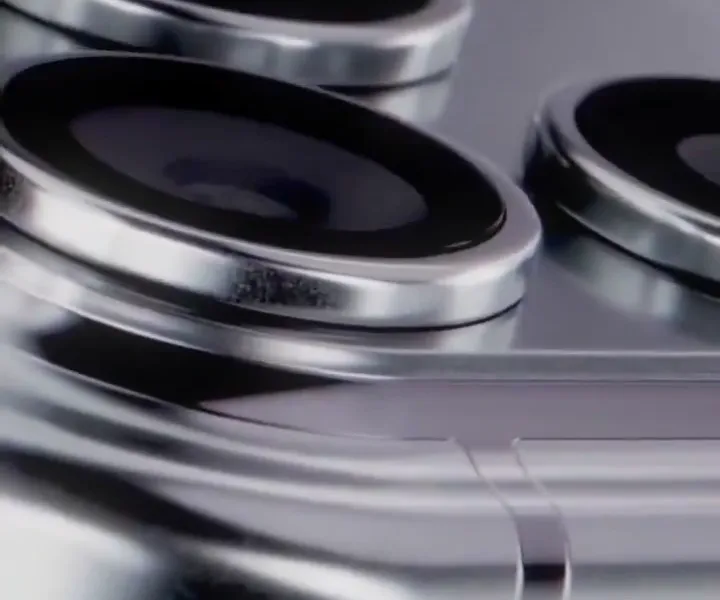
My personal concepts show this kind of work: an imagined iPhone 18 Pro Max, and a film around the Asus Vivobook S14 with its clay work views, made with Samuel Milard. These are personal projects, not commissions from those brands.

Pricing: one image from one angle, €450–600 excl. VAT; three angles, €700–1,100 excl. VAT; an animation up to 15 seconds, €900–1,800 excl. VAT. Without a CAD file, modeling is added to the quote. Use the online estimate, then send your brief with “Request a quote”.

Where this rule comes from

Kickstarter: the help article “What are the rules for hardware and product design projects?” (help.kickstarter.com), dated August 6, 2026 on the page, read on October 26, 2026.

These rules change: check them on the platform before launching your campaign.

Frequently asked questions

Can you render a product without a prototype?

Yes. The CAD file is enough, or dimensioned drawings and precise sketches. A material sample helps with finishes.

Can I use 3D renders on Kickstarter?

For hardware and product design projects, Kickstarter doesn’t allow photorealistic renderings and requires a working prototype. Rule checked on October 26, 2026: verify it before your campaign.

What if the design changes after the renders?

The scene is edited and rendered again, without starting over. The cost depends on how big the change is and is set in the quote.

My product isn’t announced. Do my files stay confidential?

Yes. An NDA is possible depending on the contract, and I can work white-label for an agency.